Why busy and profitable are not the same thing
A full schedule can still hide underpaid jobs. Once supplies and helper costs come off the price, some clients pay far less per hour than others.
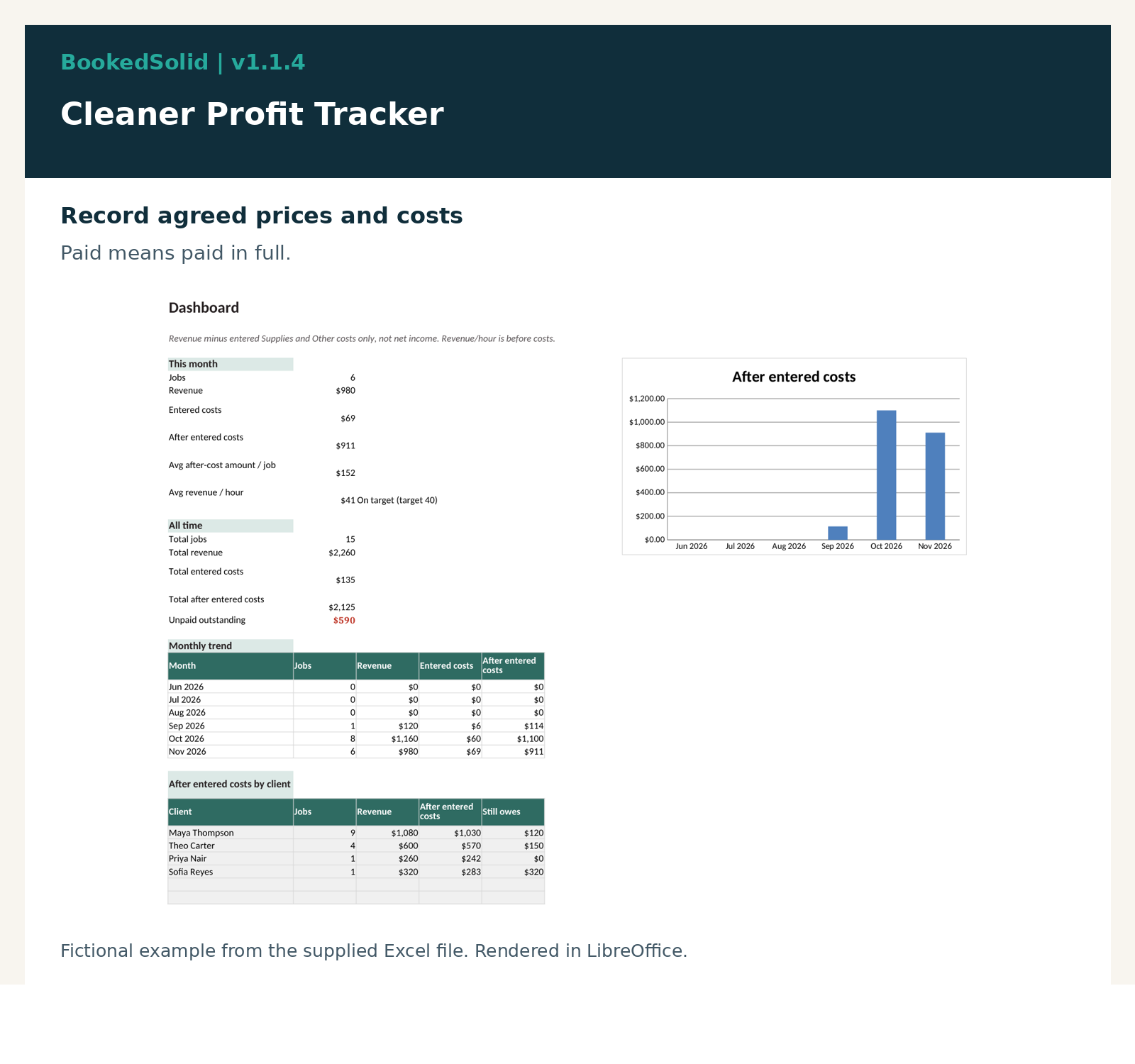
The Cleaner Profit Tracker shows the real number behind every job, so you can raise prices where it counts and keep the clients worth keeping.
Good to know
- Paid means paid in full: a job counts as unpaid until its full price is received. This version does not calculate partial-payment balances.
- The unpaid summary is an internal client-balance view, not an invoice generator. Never send the whole workbook to a client.
- Revenue/hour is the job price divided by your entered hours, not profit per hour. Figures after entered costs are not net income.
- Keep one ongoing working file and append each job. Quotes live in separate whole-file copies of your estimate master; the files do not sync or transfer records.
- Jobs log rows 2-60 and the built-in client slots are the prepared capacity. Clear input cells only, never whole rows or gray formula cells.
Choose the supplied Excel files for Excel or the separate native templates for Google Sheets. Read the included compatibility record for tested workflows and limits.